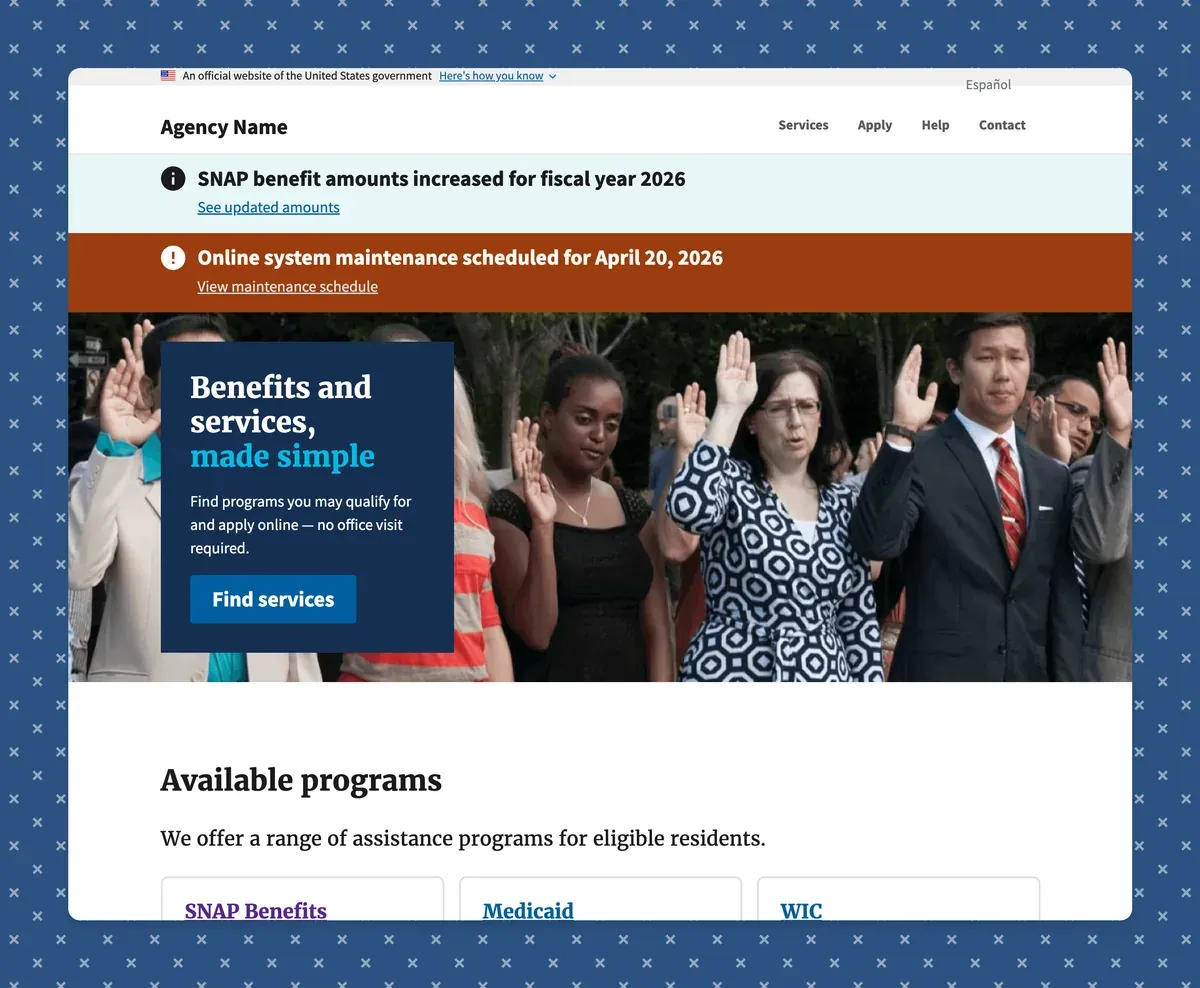
I just shipped something I’ve been thinking about since my days at the Department of Veterans Affairs: a production-ready Astro starter template built specifically for government service websites.
The problem I kept running into
If you’ve spent any time in government tech, you know the drill. Every new project starts with the same checklist: get USWDS wired up, make sure the USA Banner is on every page, validate Section 508 compliance, figure out how to handle both English and Spanish content, and eventually someone will give the greenlight to deploy a static site.
Every. Single. Time.
I wrote about how long it took just to get a repeatable AWS deployment process working in this post about automating Astro deploys. That was friction I solved once and never wanted to solve again. This starter is the same bet, applied to the entire government-site setup experience.
What’s inside
USWDS 3.x via SCSS, no reimplementation. That was a hard constraint. There are plenty of govtech projects that try to hand-roll USWDS components in a different framework, and they all end up lagging behind the actual design system updates. This pulls in the real thing and wraps it in 20 Astro component wrappers so you’re not writing raw HTML patterns by hand.
Section 508 / WCAG 2.1 AA compliance baked in. Skip navigation, landmark regions, and focus management are all included and set up correctly out of the box. Lighthouse accessibility score hits 100 in CI. Not “we tried our best,” just 100.
Built-in English and Spanish routing. The / and /es/ structure is already there. Content collections are Zod-typed and MDX-ready across services, announcements, FAQs, and pages. I’ve spent enough time watching bilingual government sites get bolted on as an afterthought to care a lot about this one.
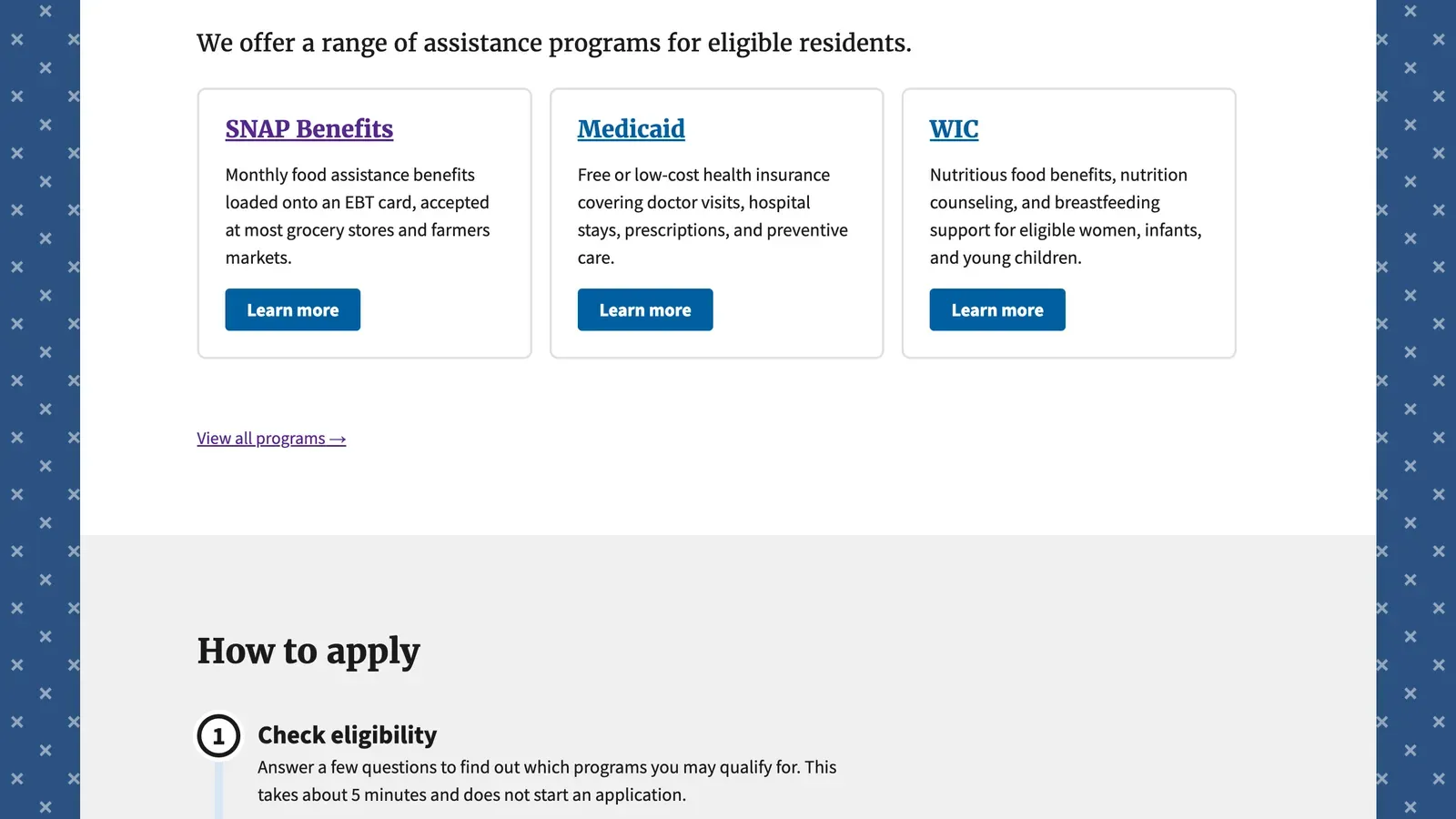
The seed content shows exactly the kind of structured pages you’d build: a services listing with cards for SNAP, Medicaid, and WIC, each linking to a dedicated detail page:
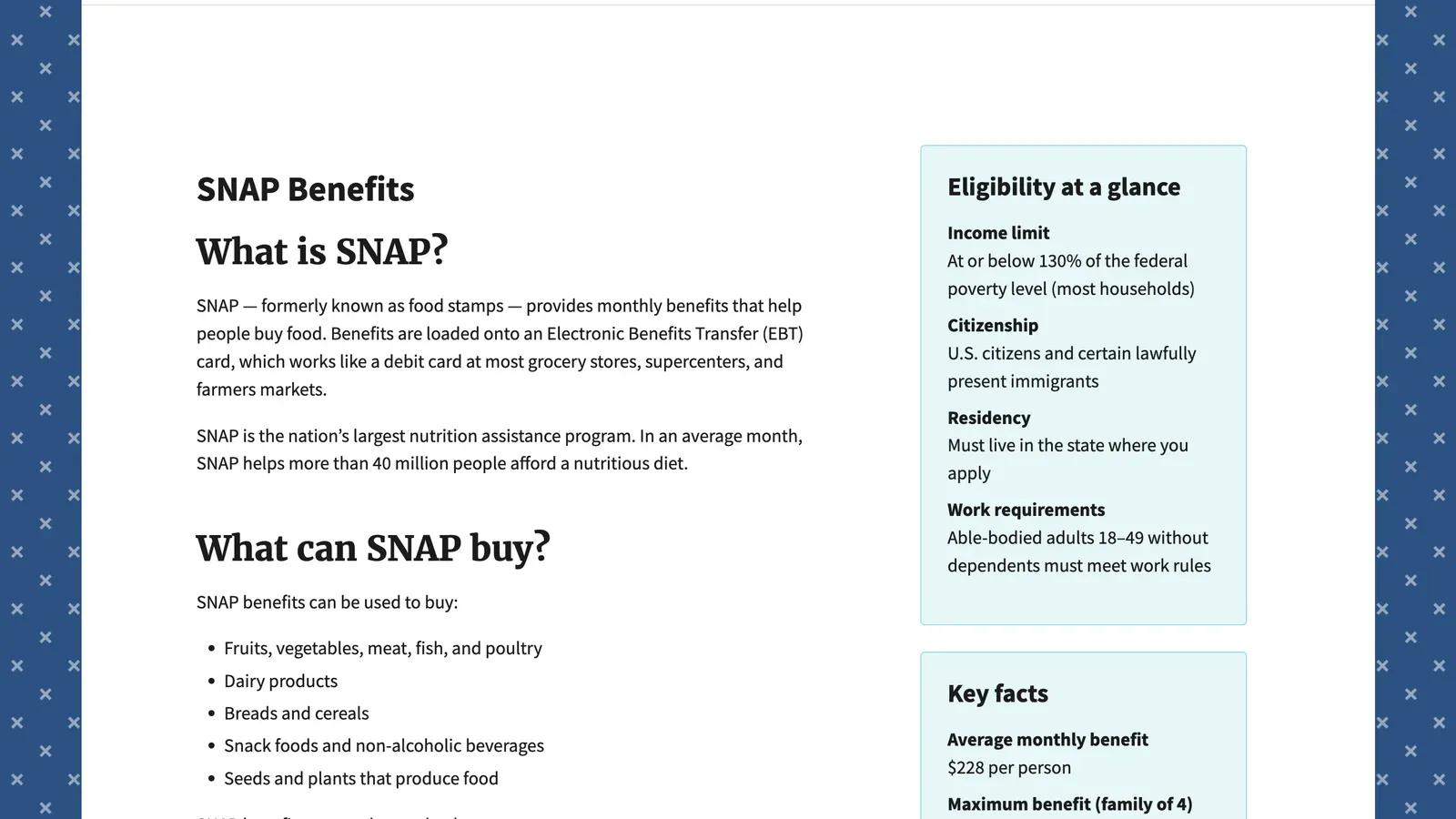
Those detail pages use USWDS sidebar patterns to surface eligibility info and key facts alongside the main content, the kind of layout that normally takes a week to get right the first time:
Zero client-side JavaScript by default. Classic Astro. The whole thing ships as static output, which means you can drop it on S3/CloudFront, Cloud.gov Pages, GitHub Pages, Netlify, Vercel, whatever your agency or contractor is comfortable with.
Plain language linting in CI. This is probably my favorite feature. It runs a Flesch-Kincaid readability check on content and enforces a grade ≤ 8 threshold. Government websites are legally supposed to be written in plain language. Now your CI pipeline yells at you if they’re not.
Why Astro 6 for this?
I’ve been building on Astro since the early days, first for Cabeça de Queijo and then through my whole open source themes journey. It keeps earning its spot:
- Island Architecture means you only load JS when you actually need it
- Framework agnostic, so React, Vue, or vanilla depending on what the team knows
- Static output is a perfect match for government deployment constraints
- The content collections model with Zod typing is exactly what you want when multiple editors are touching content
For a government context specifically, the zero-JS-by-default posture is great. Less attack surface, faster page loads on underpowered government-issued hardware, and simpler security reviews.
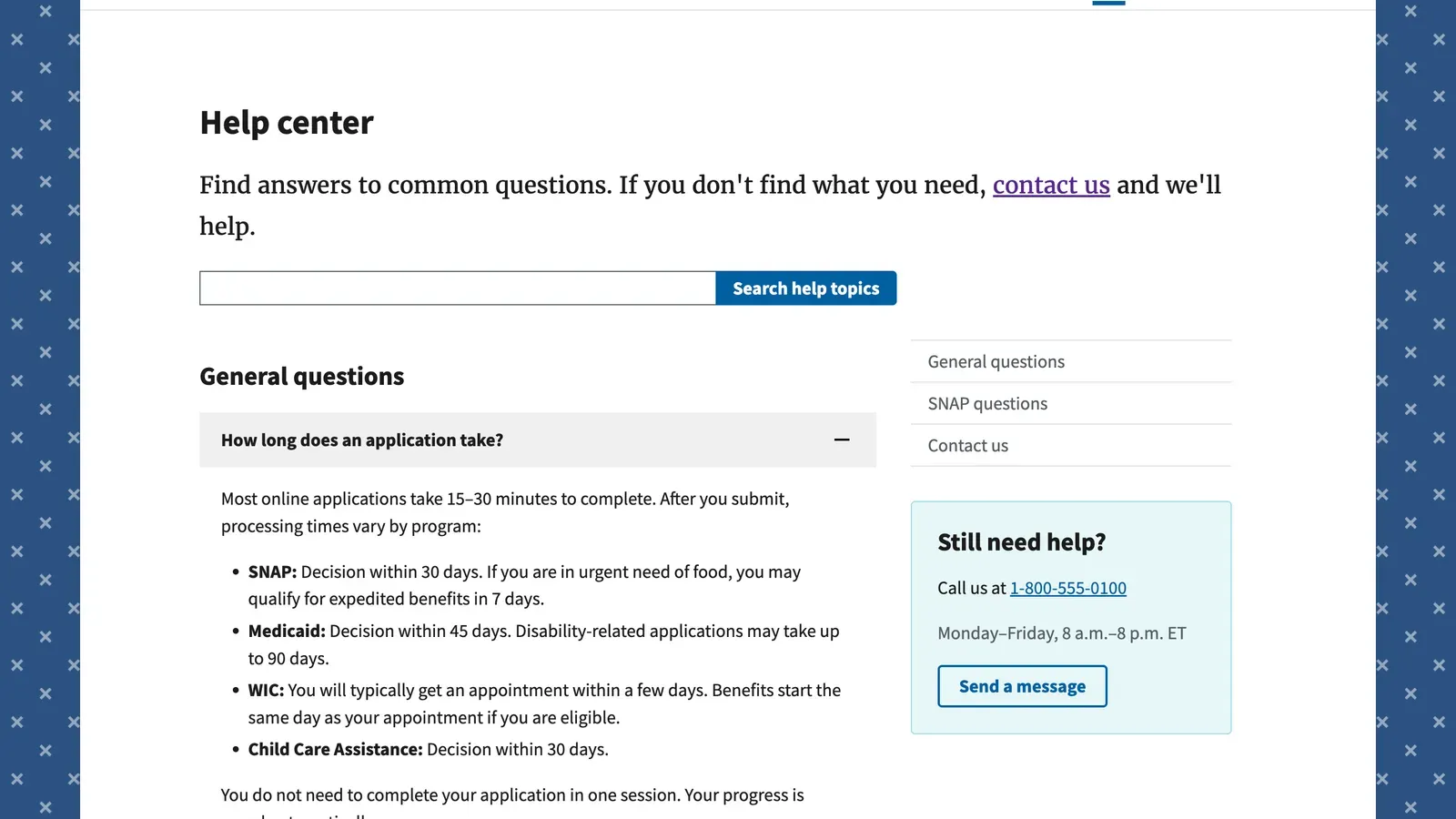
The help center page is another good example: FAQ accordion with a sticky sidebar, a search input, and a “Still need help?” contact card. All USWDS, all accessible, zero custom CSS needed to get there:
The CI quality gates
I put real effort into the automated checks because I’ve seen what happens when those don’t exist. HTML validation via html-validate catches structural issues before they become accessibility bugs. Lighthouse CI enforces performance ≥ 90 and accessibility = 100 on every PR. USWDS compliance verification checks that required components (USA Banner, USA Identifier) are actually present. Plain language linting runs the Flesch-Kincaid threshold I mentioned above.
None of this is optional or advisory. It blocks the merge. That’s intentional.
Deployment
The README covers all the major paths: GitHub Pages, Cloud.gov Pages, Netlify, Vercel, and the S3 + CloudFront setup I’ve documented elsewhere. The static output means there’s no server to manage, which tends to simplify a lot of conversations with infrastructure and security teams.
Try it
- Astro Themes: astro.build/themes/details/us-government-uswds-starter-template
- GitHub Repo: github.com/ctrimm/astro-gov-starter
- License: MIT for code, CC0 for seed content
If you’re building a government service website (or honestly any site that cares about accessibility and readability), clone it and see how far it gets you before you need to write any custom code.
If you use it for something, open an issue or discussion on the repo. I’d genuinely like to know what’s working and what’s getting in the way.
Browse my other Astro themes: from GenAI startup landing pages to skeuomorphic UI.
Related Posts
- Open Sourcing My Gen AI Startup Landing Page ThemeBuilt and released a free, modern Astro theme specifically for AI startups - complete with dark mode, pricing tables, and GitHub Pages deployment.12/2/2025
- Introducing the Astro Skeuomorphism Theme: Tactile UI for the Modern WebExploring the revival of tactile design on the web. A first look at my new open source Astro theme that embraces skeuomorphism and retro-inspired aesthetics.3/27/2026
- 230+ Government Design Systems: A Complete Global List (2026)Curated list of 230+ government design systems worldwide — federal, state, and local — with WCAG accessibility, web components, Figma, and adoption trends. Updated June 2026.5/29/2024